Seedance 2.5 Prompts: How to Animate a Photo That Works
Seedance 2.5 prompts for image-to-video: what moves, how fast, where the camera goes, plus 10 copy-paste prompts for Plurel's Animate tool.
Updated Sep 25, 2026 9 min read
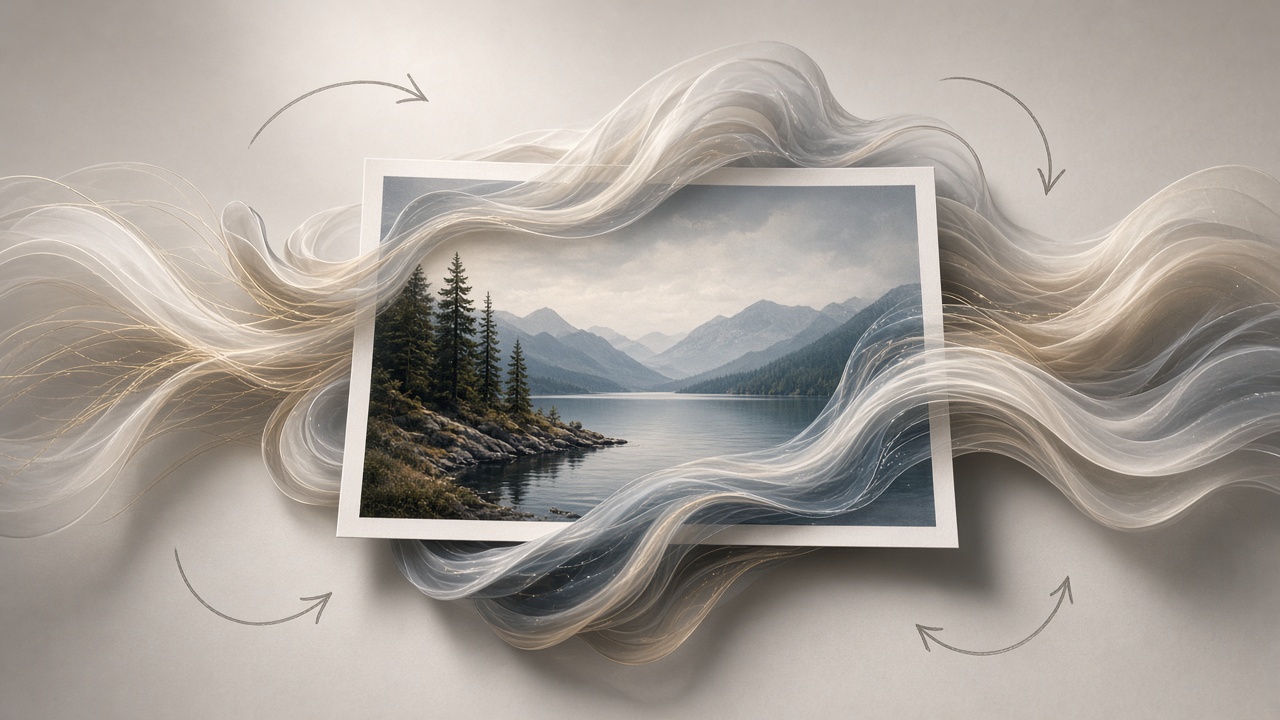
Good Seedance 2.5 image-to-video prompts do three specific things: they name exactly what part of the photo moves, they set a pace for that motion, and they give the camera one clear instruction instead of none or several conflicting ones. Get those three right and a still photo turns into a usable 30-second clip on the first or second try instead of the fifth. Below is how to write that kind of prompt, ten you can copy straight into Plurel's Animate tool, and the fixes for the ways this usually goes wrong.
What makes Seedance 2.5 different
Seedance 2.5 is ByteDance's video-and-audio model, and the spec that matters most for photo animation is length and resolution: ByteDance unveiled Seedance 2.5 on Tuesday at its Volcano Engine FORCE conference in Beijing, a video generation model that produces 30-second clips at native 4K resolution from a single prompt. That single-shot length changes how you should write a prompt — you're not describing one frozen instant, you're describing a short scene with a beginning, a middle and an end.
The other change that matters for image-to-video work is references and audio. The headline upgrade is reference capacity: the model accepts up to 50 multimodal inputs, including images, audio clips, 3D white models, and style references, up from 12 in its predecessor. And motion now comes with sound built in: audio is now co-processed within the same latent space as visual signals, producing native synchronisation between onscreen actions and their corresponding sound effects. Practically, that means your prompt should describe what you want to hear, not just what you want to see — a footstep, a door, wind, a single line of ambient tone.
ByteDance's own product page confirms the same numbers for anyone starting from Dreamina or the API: creators can now generate clips up to 30 seconds long, making it easier to tell seamless stories with smoother transitions and stronger character consistency. The wider rollout followed soon after, with ByteDance announcing the global launch of Seedance 2.5, debuting first on Dreamina on July 31, 2026.
How to describe motion for a still photo
Animating a photo is different from writing a text-to-video prompt, because half the scene — the subject, the framing, the lighting — is already fixed by the picture. Your job is to describe only what changes. Three things need to be explicit every time: what moves, how fast, and where the camera goes. Leave any of the three vague and the model fills the gap with its own guess, which is the most common reason a first generation gets thrown away.
What moves
Name the moving part directly, not the whole photo. "The dog turns its head and wags its tail" gets a cleaner result than "make the photo come alive." If there are several elements in frame — hair, water, a curtain, a crowd in the background — say which ones move and which stay still. If you don't mention the background, expect the model to add its own ambient motion there (clouds drifting, leaves shifting), which is often fine, but pin it down if you need a static backdrop.
How fast
Speed is a pacing instruction, not a mood word. "Slowly," "over three seconds," "in one smooth motion" all read differently than "quickly" or "suddenly." Because a Seedance 2.5 clip can run a full 30 seconds in one pass, an action that isn't paced will either finish in the first two seconds and leave dead air, or drift into motion you didn't ask for. Anchor at least one action to a rough time — "over two seconds," "for the rest of the clip" — especially for anything longer than a quick test.
Where the camera goes
Pick one camera instruction and describe it in plain terms: static/locked-off, slow push-in, slow pull-back, pan left to right, or a handheld sway. Match the camera's speed to the subject's speed — a fast camera move over a slow, quiet action reads as a mismatch. A locked-off, static camera is the safest default for portraits and product shots, because it keeps the focus on describing the subject's motion rather than fighting two moving elements at once.
| Instruction | What it does | Best for |
|---|---|---|
| Static / locked-off | Camera doesn't move at all | Portraits, talking subjects, product close-ups |
| Slow push-in | Camera drifts closer over the clip | Building tension, drawing attention to a detail |
| Slow pull-back | Camera moves away, revealing more of the scene | Reveals, establishing shots, endings |
| Pan left/right | Camera rotates on axis, following action | Tracking a subject that moves across frame |
| Handheld sway | Slight, natural camera drift, not locked | Documentary or candid feel |
Do it in Plurel
- Open Animate from the row under the composer, or jump straight to the model at https://plurel.tech/?model=seedance-2-5.
- Upload the still photo you want to animate.
- Choose Seedance 2.5 as the model if it isn't already selected — it's the option built for strongest reference control and clips up to 30 seconds.
- Write your motion prompt: what moves, how fast, where the camera goes, and any sound you want. Use one of the ten prompts below as a starting point.
- Check the estimated credit cost before you generate — Seedance 2.5 runs from 30 credits, scaling with length and resolution, and the app always shows the number before you confirm.
- Generate, then review. If the clip needs a different ending or a continuation, use Extend to carry the same scene further, or follow up in chat with something like "same shot, but slower" — the chat edits what was just made.
Ten prompts for animating a photo with Seedance 2.5
Each of these is written for the Animate tool with a still photo already uploaded and Seedance 2.5 selected as the model.
The person in the photo turns their head slowly from profile to face the camera over three seconds, expression softening into a small smile. Hair lifts gently in a light breeze. Camera holds a static, locked-off shot at eye level. Add faint ambient room tone, no dialogue.
Turns a headshot into a natural greeting clip. Run on Seedance 2.5.
The bottle in the photo rotates a slow 180 degrees on its base over four seconds, light catching the glass edges. Camera does a slow push-in from medium shot to close-up. Background stays a soft gradient with no other movement. Add a subtle glass-clink sound as the rotation finishes.
Product-shot rotation for ecommerce or ads. Run on Seedance 2.5.
Clouds drift left to right across the sky at a slow, steady pace, sunlight brightening the peaks over ten seconds. Camera performs a slow push forward and slightly upward, revealing more of the valley. Wind sound rises gently, no music.
Turns a landscape photo into a calm establishing shot. Run on Seedance 2.5.
The dog in the photo turns its head toward the camera, ears perking up, then barks once and wags its tail for the rest of the clip. Camera stays static at the dog's eye level with a very slight natural sway. Add one clear bark synced to the head turn, followed by soft panting.
Pet photo to short, shareable clip. Run on Seedance 2.5.
Steam rises continuously from the dish starting at frame one. A hand enters from the right edge and pours sauce over the food in one smooth motion across two seconds, then exits frame. Camera holds a static overhead shot. Add a soft sizzle sound under the pour.
Food photography with a simple, repeatable action. Run on Seedance 2.5.
The model in the photo takes two slow steps forward, coat swaying with the movement, then stops and turns her shoulders toward the camera. Camera tracks backward at the same pace as her steps, keeping her centered in frame. Studio lighting stays flat and even. Add footstep sound and light fabric rustle.
Fashion stills into a short runway-style clip. Run on Seedance 2.5.
Camera glides forward through the room at a slow, even pace, as if walking from the doorway toward the window, revealing the space in one continuous move. Curtains sway slightly in a breeze from the open window. No people enter frame. Add faint room tone only.
Real estate interior photo into a walkthrough. Run on Seedance 2.5.
The car's headlights switch on first, then the vehicle pulls forward out of frame to the left over three seconds. Camera pans right to left at the same speed to keep the car in frame until it exits. Add an engine-start sound synced to the headlights, followed by tires on gravel.
Automotive photo into a launch-style clip. Run on Seedance 2.5.
A single droplet forms and falls from the flower petal over the first two seconds. Camera performs a slow macro push-in, staying focused on the droplet's landing point. Petals sway very slightly from the impact. Add one soft water-drop sound at the moment of impact.
Macro nature photography with a small, precise action. Run on Seedance 2.5.
Pedestrians in the background begin walking at a natural pace in both directions, while the person in the foreground stays still and looks directly at the camera. Camera holds a static mid shot. Traffic and city ambience rise gently under the scene, no dialogue.
Street photo with layered background motion. Run on Seedance 2.5.
Troubleshooting
The whole photo moves when you only wanted one thing to move. Name what should stay still, not just what should move — "the background stays completely static" is often the missing line.
The action finishes too early and the rest of the clip drifts. Attach a rough time to the action ("over three seconds") and add a closing instruction like "holds this pose for the rest of the clip" so there's nothing left for the model to invent.
Faces or objects distort partway through. This usually means the camera move and the subject's move are fighting each other — drop to a static camera first, get the subject's motion right, then add camera movement back in on a second pass.
No sound, or the wrong sound. Say the sound out loud in the prompt, the same way you describe the visual — Seedance 2.5's audio is generated in the same pass, so an unmentioned sound usually means silence or a generic ambience.
If you want the deeper mechanics of the model itself — resolution, reference modes, and pricing — see the Seedance 2.5 guide. For camera and motion language that carries over to other video models in the app, AI video prompt tips and how to turn a photo into a video with AI cover the same ground from a different angle. If you're comparing Seedance 2.5 against other options in the app first, Best AI Video Generator in 2026 breaks down cost by model.
Name the motion, pace it, pick one camera move, and Seedance 2.5 will usually give you a usable clip on the first or second try.
Questions people ask
- What's the best way to describe motion in a Seedance 2.5 prompt?
- Name exactly what part of the photo moves, give it a rough pace like 'over three seconds', and pick one camera instruction such as static, push-in, or pan. Leaving any of the three vague is the most common reason a generation needs a redo.
- How long can a Seedance 2.5 clip be?
- Seedance 2.5 generates clips up to 30 seconds long in a single continuous pass at native 4K, with audio synced in the same generation.
- Can I add sound to an animated photo in Seedance 2.5?
- Yes. Seedance 2.5 generates audio in the same pass as the video, so describe the sound you want in plain words in the prompt rather than adding it afterward.
- Which tool in Plurel animates a photo with Seedance 2.5?
- Open Animate and select Seedance 2.5 as the model, or open the model directly and upload your photo; it runs from 30 credits depending on length and resolution.
- Why does my animated photo distort or drift off-model?
- This usually happens when the camera movement and the subject's movement conflict. Try a static camera first to lock in the subject's motion, then reintroduce camera movement on a second pass.
- Can I continue a Seedance 2.5 clip past 30 seconds?
- Yes, use the Extend tool in Plurel to carry the same scene further, or ask in chat for a continuation and it will edit from what was just generated.
Sources
Keep going
AI Product Video Prompts: Hooks, Motion, 9:16 Framing
AI product video prompts that convert: hooks, motion, backgrounds, and text-safe 9:16 framing, with 10 copy-paste prompts by product type.
Updated Oct 8, 2026
What a Credit Costs and Why: AI Video Pricing Explained
AI video pricing explained: why resolution, length and audio change the cost, and how Plurel's credit math works before you click generate.
Updated Oct 7, 2026

Why AI Video Looks Wrong: Hands, Text, Physics Explained
Why AI video looks wrong: how hands, text, collisions and gravity break, what Sora 2, Kling 3.0 and Veo 3.1 fixed, and how to prompt around it.
Updated Oct 5, 2026
How Much Does AI Video Cost? Credits Explained
See the real AI video cost: per-clip prices in credits across 15 models, what 60 credits buys, and packs vs plans.
Updated Oct 4, 2026