Nano Banana vs GPT Image 2.6: Which Image Model to Use
Nano Banana 2.1 vs GPT Image 2.6 compared on photorealism, text, editing, consistency, speed and price so you know which to click.
Updated Nov 14, 2026 7 min read
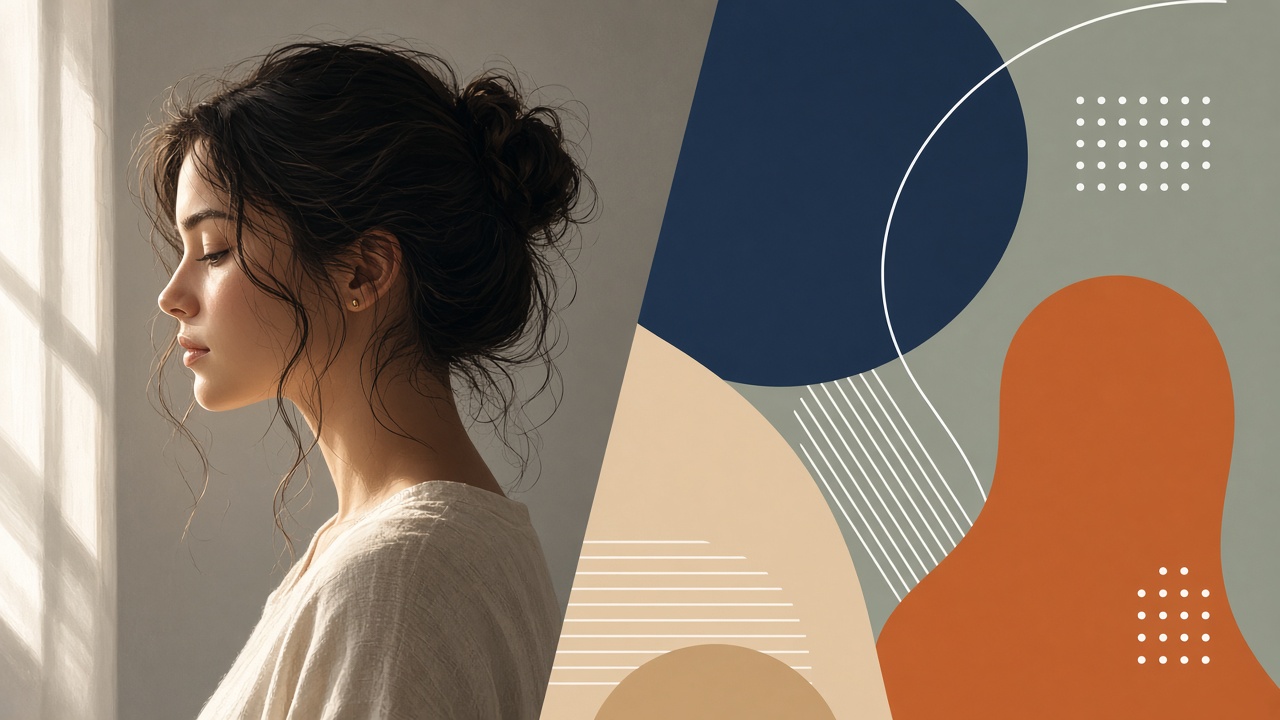
Nano Banana 2.1 is Google's picture model, built for photorealism and keeping a face or product steady across edits. GPT Image 2.6 is OpenAI's picture model, built for sharp text, dense layouts and fast multi-round editing. Both cost the same in Plurel — 4 credits a picture — so the choice comes down to the job, not the price.
What each model actually is
Nano Banana 2.1 is the model behind Google's "Nano Banana" image tools. Google announced the launch of Nano Banana 2.1, saying it delivers improvements in visual design, mask-based editing, and subject consistency over the previous version, per Android Authority's coverage of the launch. It runs on a newer Gemini image backbone and supports multi-image fusion with up to 14 reference images, holding character consistency for up to 4 characters and object fidelity for up to 10 objects. In Plurel it's listed as Nano Banana 2.1 (slug nano-banana-2), 4 credits a picture — open it directly.
GPT Image 2.6 is OpenAI's current image model inside ChatGPT, Codex and the API, and it's what replaced GPT Image 2.5 in Plurel. OpenAI introduced two API variants, Flare and Sunburst: Flare generates images in as little as six seconds, while Sunburst brings higher-quality generation and greater consistency across edits, per OpenAI's own launch announcement. In Plurel it's listed as GPT Image 2.6 (slug gpt-image-2-6), also 4 credits a picture — open it directly. If you want the full rundown on what changed in this release, read the GPT Image 2.6 explainer and the Nano Banana 2.1 explainer.
Photorealism
This is Nano Banana's home turf. Google's own testing says Nano Banana 2.1 outperforms both its predecessor and the Pro model, with improvements to editing specific parts of an image and maintaining people's appearance across multiple editing steps, as Notebookcheck reported. Independent reviews of the broader Nano Banana family have consistently found it strong on skin texture and natural lighting in portraits, a pattern that holds across versions even as the exact model names change.
For a portrait, a product on a table, or anything meant to look like a real photograph, start with Nano Banana 2.1. GPT Image 2.6 isn't bad at this — OpenAI's image line has steadily closed the gap — but it still reads slightly more "rendered" on skin and fine material detail than Nano Banana's output.
Text in images and layouts
This is where the GPT Image line has held an edge for several generations, and GPT Image 2.6 continues it. In one independent 20-prompt test of the prior pair of models, the reviewer at Oakgen found that GPT Image was the best model for anything involving text, structural layouts, or consistent character grids, winning decisively on typography — including non-Latin scripts — and layout fidelity, while the Google model was the stronger choice for photorealistic skin and portrait subjects. That split between "text and layout" versus "photorealism" is the most consistent finding across reviews of both families, and it's the simplest way to decide between the current versions too.
That said, Google has been closing the infographics gap specifically. Notebookcheck reported the new model scores 0.521 for factual accuracy on infographics, versus just 0.179 for the previous Nano Banana version — a big jump, even if GPT Image still tends to render dense body copy more reliably.
If the picture needs a poster headline, a menu, a UI mockup or a multi-line caption that has to actually be readable, run it on GPT Image 2.6 first.
Editing a picture you upload
Both models can take a photo you upload and change one thing in it — add an object, swap a background, restyle an outfit — without redrawing the rest of the picture. Nano Banana 2.1 does this through what Google calls mask-based editing, which is built to touch only the region you point at. GPT Image 2.6's Sunburst variant was built specifically to hold onto characters and products better across edit rounds, per OpenAI's own announcement above.
In practice, the difference shows up over multiple rounds of edits rather than on the first one. If you're doing one edit — "remove the sign in the background" — either model handles it. If you're doing five edits in a row on the same picture, keeping a logo, a face and a product label intact the whole time, Nano Banana 2.1's reference handling has more headroom (up to 14 reference images at once).
Consistency across a set
If the job is "same character, ten different scenes" or "same product, ten different angles," Nano Banana 2.1's multi-image fusion is the more direct fit, since it holds up to 4 characters and 10 objects consistent across a batch from reference images in a single setup. GPT Image 2.6 can also keep a character steady across a short run of edits — that's the point of its Sunburst variant — but it's working one edit at a time rather than from a bank of saved references. For a deeper look at keeping one face steady across a whole shoot, see how to keep the same character across AI images.
Speed
Speed is the one place the two models' stated designs genuinely point in different directions. OpenAI built Flare — one of GPT Image 2.6's two API variants — purely for speed, generating a usable image in a handful of seconds. Google hasn't published a comparable number for Nano Banana 2.1, so treat any specific second-count you see elsewhere as unverified. In everyday use inside Plurel, both models return a picture fast enough that the difference won't matter for one-off prompts; it starts to matter when you're generating dozens of variations back to back.
Nano Banana 2.1 vs GPT Image 2.6, by job
| Job | Better pick | Why |
|---|---|---|
| Realistic portrait or product photo | Nano Banana 2.1 | Stronger skin texture and natural lighting |
| Poster, menu, UI mockup with real text | GPT Image 2.6 | More reliable at rendering legible body copy |
| Infographic with labels | Either | Nano Banana 2.1 closed most of the old gap; GPT Image 2.6 still edges out dense text |
| Multi-step edit on an uploaded photo | Nano Banana 2.1 | Mask-based editing targets just the region you point at |
| Same character across many images | Nano Banana 2.1 | Up to 14 reference images in one setup |
| Fastest single picture | GPT Image 2.6 | Flare variant is built for speed |
| Price per picture in Plurel | Tie | Both 4 credits |
Do it in Plurel: run one prompt on both
The fastest way to decide for your own picture is to run the same prompt on both models and compare.
- Open Plurel and click Image in the row under the chat composer.
- Pick Nano Banana 2.1 from the model list (or jump straight there with this link). Type your prompt — for example, "a woman in a linen shirt holding a coffee cup, natural window light, shot on 50mm" — and generate. Cost: 4 credits.
- Switch the model to GPT Image 2.6 (direct link) and run the exact same prompt. Cost: 4 credits.
- Compare the two side by side in your chat history. If you need a third opinion, you can also run the same prompt on Seedream 5 or Qwen Image 3 Pro, both built for sharp detail and text.
- Once you pick a winner, use follow-up messages in the same chat — "make it warmer" or "put her in a red coat instead" — to edit without starting over; the chat edits what was just made.
If a job needs a model to plan the shot for you first, open Claude Opus 5 or GPT-6 Astra in chat, describe the brief, and approve the plan and credit cost before it generates.
Troubleshooting and tips
Text still comes out garbled on GPT Image 2.6. Keep the text short and specify the font style in plain words ("bold sans-serif headline") rather than quoting a long paragraph — both models do better with fewer words to render exactly.
Nano Banana 2.1 changed something you didn't ask it to change. Be specific about what should stay the same in your follow-up prompt ("keep the background exactly the same, only change her jacket") rather than only describing the change itself.
Your subject looks different between images in a set. Upload the earlier image as a reference in your next prompt rather than describing the person again from scratch — reference images hold identity far more reliably than a text description. See consistent character prompts for the wording that works.
You're not sure which model a specific job needs. Check the best AI image generator comparison for how these two stack up against Seedream, Qwen Image and Plurel's own models.
The rule of thumb
If the picture needs to look like a photograph, reach for Nano Banana 2.1. If the picture needs to say something in readable text, reach for GPT Image 2.6. Either way, both are 4 credits in Plurel, so testing a prompt on both before you commit to one costs less than a coffee.
Questions people ask
- Is Nano Banana 2.1 better than GPT Image 2.6?
- Neither wins every job. Nano Banana 2.1 is stronger for photorealistic portraits and products, while GPT Image 2.6 is stronger for posters, menus and anything with readable text.
- How much does Nano Banana 2.1 cost compared to GPT Image 2.6 in Plurel?
- Both cost 4 credits per picture in Plurel, so price isn't a factor in choosing between them.
- What replaced GPT Image 2.5 in Plurel?
- GPT Image 2.6 replaced GPT Image 2.5 as the current OpenAI image model in Plurel's catalog.
- Which model is better for editing a photo I upload?
- Nano Banana 2.1's mask-based editing targets just the region you point at, which gives it more headroom over several rounds of edits, though both models handle a single edit well.
- Which model is faster, Nano Banana 2.1 or GPT Image 2.6?
- OpenAI built a dedicated fast variant, Flare, for GPT Image 2.6 that generates images in as little as six seconds; Google hasn't published a comparable speed figure for Nano Banana 2.1.
- Can I run the same prompt on both models to compare?
- Yes. In Plurel, open the Image tool, pick Nano Banana 2.1, run your prompt, then switch the model to GPT Image 2.6 and run the same prompt again to compare results side by side.
Sources
Keep going
GPT Image 2.6 vs GPT Image 2.5: Which Should You Use?
GPT Image 2.6 vs GPT Image 2.5 compared: what changed, max resolution, credit price, and why 2.5 is no longer offered on Plurel.
Updated Nov 16, 2026
Leonardo AI Alternative: 6 Image Models Compared
Looking for a Leonardo AI alternative? Compare six image models on realism, text, editing and price per picture, and make your first image today.
Updated Nov 15, 2026
GPT Image 2.6: What's New and How to Use It
GPT Image 2.6 explained: what OpenAI changed from 2.5, speed, GIFs and editing, plus how to run it in Plurel for 4 credits a picture.
Updated Nov 12, 2026
Best AI Image Generator in 2026: 5 Models Compared
The best AI image generator in 2026 depends on the job. Compare Nano Banana 2, Seedream 5, Grok Imagine 2, GPT Image 2.5 and Qwen Image 3 Pro on cost and use.
Updated Sep 23, 2026