Kling 4.0: What's New, What It Costs, How to Use It
Kling 4.0 explained: 30-second clips, stereo sound, start/end frames and reference clips. See its credit price and how to run it in Plurel.
Updated Nov 9, 2026 6 min read
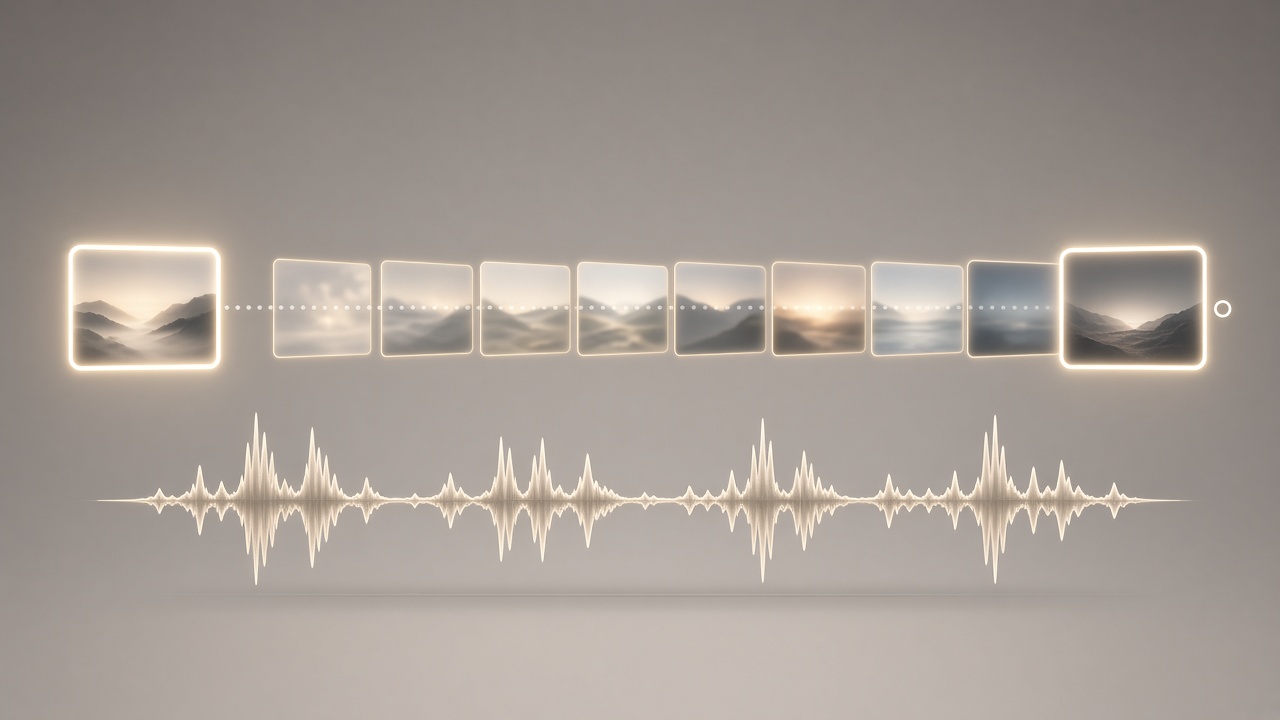
Kling 4.0 is Kuaishou's newest Kling AI video model, and it's a real jump from the last generation: twice the clip length, sound built in rather than bolted on, and a lot more control over what happens between the first and last frame. Here's exactly what changed, what it costs, and how to run it.
What Kling 4.0 is, and when it launched
Kuaishou Technology announced that Kling 4.0, the new-generation video generation model of Kling AI, officially launched on October 15. Kling 4.0's upgrades center on three priorities: realism, control and professional quality. A lighter, faster sibling called Kling 4.0 Flash had already reached a limited audience earlier: Kling 4.0 Flash, the lighter model in the same lineup, opened early access to Ultra Yearly subscribers on September 28.
To put that in context, Kling's model line has been moving fast all year. Kling 3.0 came first, with Kling 3.0 Turbo and a native-4K update following before Kling 4.0 arrived: Kling 3.0 on January 31, native 4K on April 23, Kling 3.0 Turbo on June 17, Kling 4.0 Flash early access on September 28 and the full Kling 4.0 launch in October.
What actually changed from Kling 3.0 and Kling O3
The headline change is length. Kling 3.0 and Kling O3 topped out at 15 seconds in a single pass, with that window built for multi-shot pacing inside a scene: The Kling VIDEO 3.0 series supports video generation up to 15 seconds, with flexible duration from 3 to 15 seconds. Kling 4.0 doubles that ceiling. It generates up to 30 seconds of 1080p video in one pass, with a start frame, an end frame and up to 8 middle frames, up to 15 image and video references, and stereo audio with dialogue in 9 languages.
That's a meaningful upgrade over fixed start/end control. Previously you could pin a first and last frame; now you can also drop in frames anywhere along the timeline. Kling 4.0 is built for finished work: clips up to 30 seconds at up to 1080p (4K coming soon), keyframe direction, and video editing. Start and end frames, plus up to 10 keyframes. In practice that means 10 keyframes total — a start frame, an end frame, and up to 8 in between — so you can steer a scene through several beats without cutting it into separate generations.
Reference handling also grew. Kling 4.0 can take in up to 15 combined image and video references in a single generation, on top of the keyframes, which is roughly what Kling O3 offered but now paired with a much longer runtime and native sound. Generation length doubles from 15 to 30 seconds per pass. Up to 10 keyframes join start and end frames, Omni Reference grows to 15 combined inputs including up to 5 videos, audio moves to dual-channel stereo with dialogue in more languages.
On resolution and format, the maker says the model's ambitions go beyond standard 1080p: Kling 4.0 will also support 4K, 1080p and the 21:9 ultrawide format, further expanding the field of view and compositional possibilities for more immersive and cinematic visuals.
Kling 4.0 vs Kling 3.0 vs Kling O3 vs Kling 3.0 Turbo
| Model | Max length | Frame/reference control | Audio | Credits in Plurel |
|---|---|---|---|---|
| Kling 4.0 | Up to 30s in one pass | Start, end and up to 8 middle keyframes; up to 15 references | Native stereo | 32.5 credits from |
| Kling 3.0 | Up to 15s | Optional end frame, multi-shot | Native | 55 credits from |
| Kling O3 | Up to 15s | Multi-shot storyboards, consistent characters | Native | 20 credits from |
| Kling 3.0 Turbo | 3–15s | Lip-synced dialogue | Native | 20 credits from |
If you specifically want labelled shot-by-shot storyboarding rather than one continuous 30-second take, our Kling 3.0 vs Kling O3 vs Kling 3.0 Turbo guide and the multi-shot Kling O3 guide cover that workflow in more depth.
How the frame and reference system actually works
Think of a Kling 4.0 generation as a timeline with pins on it, not a single static prompt-to-video pass.
- Start frame: the image the clip opens on. Upload a photo or a picture you generated, and Kling animates from it.
- End frame: an optional image the clip lands on. Set this and the model works backward from the destination as well as forward from the start, which keeps a logo reveal, product shot or landing pose exact.
- Middle keyframes: up to 8 extra images placed anywhere on the 30-second timeline, so a camera move, costume change or location change can happen exactly when you want it rather than wherever the model decides.
- Reference clips and images: separate from keyframes, these feed in a character's face, a product, or a visual style for the model to keep consistent across the whole 30 seconds, without forcing that reference to appear at an exact moment.
Stereo sound is generated with the picture in the same pass, not added afterward, which is why dialogue lip-syncs and ambient sound tracks the motion on screen.
Do it in Plurel
- Open Plurel and sign in (Google sign-up, no card).
- Click Video in the row under the composer, or go straight to plurel.tech/?model=kling-4-0.
- Pick Kling 4.0 from the model list. The page shows the credit cost before you generate.
- Write your prompt describing the scene, camera move and any dialogue.
- Upload a start frame — a photo or an image you made in Image first.
- Optionally upload an end frame to pin how the clip finishes.
- Optionally add a reference clip or image (a product shot, a face, a style board) to keep it consistent through the full 30 seconds.
- Set the length you want, up to 30 seconds. Review the credit cost shown — Kling 4.0 starts from 32.5 credits and the final price scales with the length you choose.
- Click generate. Once the clip is back, you can keep talking to it in the same chat: "same scene but at night", "extend this another 10 seconds", or use Video edit to change something by instruction.
If you only have a single photo and want motion without a fixed end frame, Animate is the quicker path in, and our turn a photo into a video guide walks through that specifically.
Tips and troubleshooting
Don't skip the end frame if the shot has a specific landing pose or on-screen text — without it, Kling 4.0 will still finish the clip, but the final frame is the model's guess rather than your exact image. Set an end frame whenever the last beat matters, like a product label facing camera or a logo reveal.
Keep reference images and keyframes visually consistent with each other — same lighting, same rough framing — since the model blends them, and a reference that contradicts your start frame (different outfit, different time of day) tends to produce a clip that drifts rather than one that holds. For more on why a face or outfit can wander across a long clip, see image-to-video consistency.
If you need more than 30 seconds, generate the first clip, then use Extend to continue past the end rather than trying to cram a longer story into one pass — our extend a video clip guide covers how continuity holds across the join.
For budget-conscious jobs where you don't need the full 30-second ceiling or mid-clip keyframes, Kling O3 at 20 credits from or Kling 3.0 Turbo at 20 credits from are both cheaper starting points — see AI video pricing explained for how credit cost scales with length and resolution across models.
The bottom line
Kling 4.0's real upgrade is control over time: a 30-second single take with pins at the start, the end and up to 8 points in between, plus stereo sound generated with the picture. Open it from plurel.tech/?model=kling-4-0, drop in a start frame, and you're generating.
Questions people ask
- When did Kling 4.0 launch?
- Kuaishou officially launched Kling 4.0 on October 15, 2026, with a faster Kling 4.0 Flash variant having opened in early access to Ultra Yearly subscribers on September 28.
- How long can a Kling 4.0 clip be?
- Kling 4.0 can generate a single clip from 3 up to 30 seconds, double the 15-second ceiling of Kling 3.0.
- Does Kling 4.0 come with sound?
- Yes. Kling 4.0 generates two-channel stereo audio with the picture, including dialogue, rather than adding sound as a separate step.
- What is the difference between a start frame, an end frame and a reference clip in Kling 4.0?
- A start and end frame pin the first and last images of the clip; reference clips and images instead feed in a character, product or style for the model to keep consistent without fixing an exact frame.
- How much does Kling 4.0 cost in Plurel?
- Kling 4.0 starts from 32.5 credits per clip in Plurel's catalog, with the final cost depending on the length you generate.
- Is Kling 4.0 better than Kling O3 or Kling 3.0?
- Kling 4.0 is longer and adds mid-clip keyframes and stereo audio, but Kling O3 is still the one built specifically for multi-shot storyboards with labelled shots, so the right choice depends on whether you need one long continuous take or a cut-together scene.
Sources
Keep going
Kling 3.0 vs Kling O3 vs Kling 3.0 Turbo Compared
Kling 3.0, Kling O3 and Kling 3.0 Turbo compared: multi-shot storyboards, speed, cost, and which one to pick for your next AI video.
Updated Sep 21, 2026
What a Credit Costs and Why: AI Video Pricing Explained
AI video pricing explained: why resolution, length and audio change the cost, and how Plurel's credit math works before you click generate.
Updated Oct 7, 2026

Why AI Video Looks Wrong: Hands, Text, Physics Explained
Why AI video looks wrong: how hands, text, collisions and gravity break, what Sora 2, Kling 3.0 and Veo 3.1 fixed, and how to prompt around it.
Updated Oct 5, 2026

How Much Does AI Video Cost? Credits Explained
See the real AI video cost: per-clip prices in credits across 15 models, what 60 credits buys, and packs vs plans.
Updated Oct 4, 2026